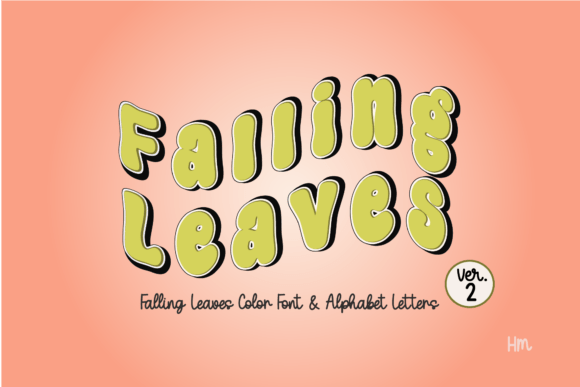
Bring Nature Indoors: The Falling Leaves Green Display Font
There is a specific challenge every designer faces when creating seasonal campaigns or nature-centric branding: finding a typeface that feels organic without sacrificing legibility. Too often, "nature" fonts look cartoonish or muddy when printed. The Falling Leaves Green color font changes that dynamic entirely. It offers a fresh, botanical aesthetic that captures the crisp energy of a forest canopy, making it a distinct addition to any creative’s toolkit. If you are looking to inject personality into a project, this premium font provides the perfect balance of whimsy and structure.
Visual Characteristics and Style
At its core, Falling Leaves Green is a display font defined by its texture. Unlike standard vector typefaces that rely on solid color fills, this font utilizes OpenType-SVG technology. This means the actual glyphs are composed of high-resolution imagery—specifically, overlapping leaves in various shades of green. The result is a rich, dimensional look that standard vector tools cannot replicate on their own.
The personality of this typeface is undeniably playful yet sophisticated. It avoids the rigid geometry of a sans serif font or the traditional formality of a serif font. Instead, it sits in a unique category of creative font assets that act almost like illustrations. The texture retains a level of detail that gives the impression of depth. You can see the veins of the leaves and the subtle shifts in color, creating a vibrant visual hierarchy that immediately draws the eye. It is a modern typography solution for designs that need to feel alive.
Strategic Applications: Where This Font Shines
Understanding where to deploy a display font like this is crucial for maintaining professionalism. Because of its intricate texture, Falling Leaves Green is not suited for body copy or long-form reading. However, for headlines and focal points, it is incredibly effective.
Branding and Marketing
For entrepreneurs and small business owners, brand identity is everything. If you operate in the wellness, eco-friendly, or outdoor sectors, this font speaks your language instantly. It works beautifully for logo design, specifically for brands that want to convey growth or sustainability. Imagine this font on a header for a farmers' market flyer or the cover of a spa brochure. It sets a mood immediately.
In packaging design, the font can elevate a product from generic to artisanal. Use it on coffee bags, organic tea labels, or skincare products to suggest natural ingredients. For social media graphics, it is a powerhouse. The visual weight of the leaves ensures that your headlines stop the scroll, whether you are announcing a sale or promoting a blog post.
Publishing and Editorial Design
Publishers and bloggers often struggle to find assets that stand out in a crowded digital space. Falling Leaves Green is excellent for editorial design. Consider using it for chapter titles in a nature guide, the masthead of a seasonal magazine, or the title slide of a presentation. It adds a layer of visual storytelling that a standard sans serif cannot achieve.
Crafting and Physical Products
The utility of this font extends beyond the screen. For crafters using Silhouette Studio or compatible cutting software, this commercial font opens up new possibilities for physical goods. It is ideal for:
- Custom Apparel: T-shirts and hoodies featuring nature-themed quotes.
- Stationery: Invitations for garden parties or wedding save-the-dates.
- Stickers and Decals: Creating intricate, colorful stickers for planners or water bottles.
Technical Workflow and Compatibility
One of the most common questions regarding color fonts involves compatibility. The Falling Leaves Green package includes an OTF file and PNG backups, ensuring you have flexibility. It installs just like any standard font file, meaning you can access it through your standard font menu once installed.
It works seamlessly in professional design environments like Adobe Photoshop (CC 2017 and newer) and Illustrator. This is where the font truly shines, as these programs support the high-fidelity rendering of the SVG data. It also functions in Silhouette Studio and Inkscape, making it accessible for hobbyists and crafters.
Important Workflow Note: It is vital to understand the limitations of this technology. OTF and TTF color fonts are generally not compatible with Cricut machines, and Canva currently does not support color fonts. If you are designing for Cricut, you would need to use the provided PNG files as "Print then Cut" images rather than typing with the font file directly. Always verify your software's support for OpenType-SVG before purchasing to ensure a smooth design process.
Design Strategy: Pairing and Hierarchy
Using a creative font effectively requires a strategy for contrast. Because Falling Leaves Green is so visually dense and textured, pairing it with a clean, neutral typeface is essential. You want to let the leaves do the talking without creating visual noise.
Font Pairing Recommendations:
- With a Sans Serif: Pair the leaves with a clean sans serif font like Montserrat or Open Sans. The geometric simplicity of the sans serif will ground the organic chaos of the leaves, creating a balanced, modern look.
- With a Serif: For a more classic, editorial vibe, try pairing it with a sturdy serif font like Georgia or Playfair Display. This works well for book covers or high-end invitations.
- Avoid Script: Generally, avoid pairing this with a script font or handwritten font. Both styles compete for attention, and the result can look cluttered.
When setting your type hierarchy, use Falling Leaves Green exclusively for the H1 or main headline. Use your secondary font for subheadings and body text. This creates a clear path for the reader's eye, moving from the colorful hook to the informative content.
Final Thoughts on Integration
Bringing nature-inspired assets into your work doesn't have to be difficult. By utilizing Falling Leaves Green, you are adding a design asset that carries inherent energy. Whether you are a marketer crafting a campaign for Earth Day, a designer building a brand identity for a botanical garden, or a hobbyist making invitations, this font provides the visual texture needed to make your project memorable. Focus on clean pairings, respect the technical requirements of the SVG format, and let the natural beauty of the typography enhance your message.