Celebrate Every Design: A Kawaii Twist on Modern Typography
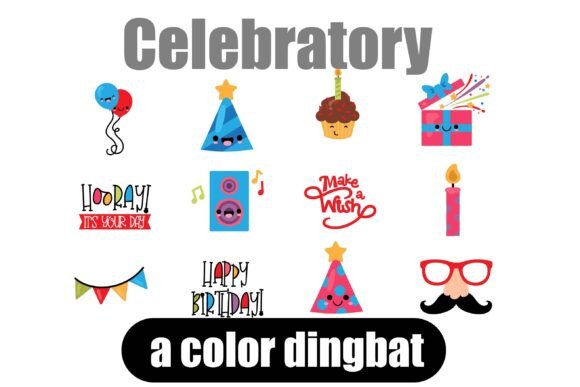
When a project feels flat, sometimes the solution isn't a complete overhaul but a spark of joy. The Celebratory Dingbat Font offers exactly that—a collection of 26 kawaii-style, party-themed images designed to inject instant fun into your work. As a designer or content creator, you know the struggle of finding the right visual element that doesn't clash or overwhelm. Dingbat fonts like Celebratory bypass that entirely, offering cohesive, stylistically aligned graphics that integrate seamlessly with your text and layouts.
What Exactly Is a Dingbat Font?
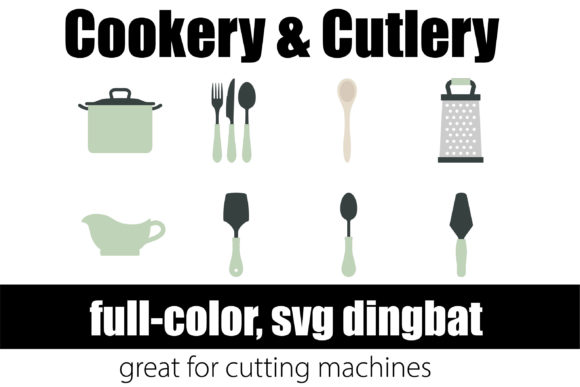
Think of dingbats not as letters but as a toolkit of symbols. Historically, they referred to typographic ornaments, but modern dingbat fonts are essentially vector graphics packaged in an OpenType font file. The Celebratory font, for instance, contains 26 unique images—from balloons and cakes to party hats and confetti—all rendered in a consistent kawaii aesthetic. This isn't clip art you have to hunt for; it's a curated set of design assets that live right on your keyboard, ready to use with a simple keystroke.
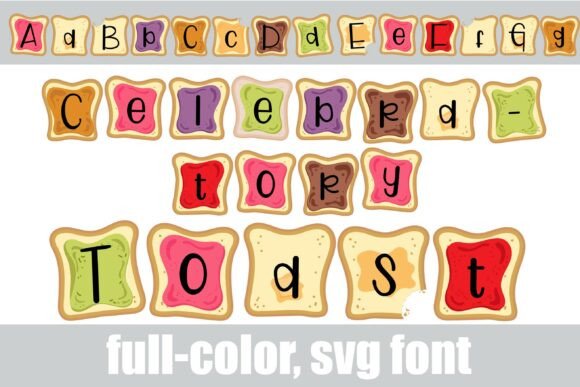
The appeal lies in their simplicity and consistency. When you use a traditional serif font for headings and pair it with a sans serif font for body text, you're creating a visual system. A dingbat font like Celebratory extends that system to your illustrative elements. The style is cohesive, the colors (in full-color SVG versions) are vibrant, and the personality is unmistakable. It’s a subtle but powerful way to unify a design.
Where Celebratory Shines: Real-World Applications
This isn't just a novelty. A creative font like Celebratory has practical, everyday uses across multiple mediums. For packaging design, imagine a small bakery or a craft brewery adding a tiny, joyful icon next to a product name on a label. It adds character without requiring a custom illustration commission. For social media graphics, these icons become perfect accent pieces for Instagram stories, celebratory announcement posts, or holiday greetings, saving you time in Canva or Adobe Express.
Consider these specific scenarios:
- Invitations and Greeting Cards: A birthday invitation gains immediate personality with a celebratory dingbat used as a bullet point or a section divider.
- Brand Identity Elements: Small business owners can use a consistent dingbat on thank-you cards, packaging inserts, or loyalty stamps to reinforce a playful, approachable brand identity.
- Editorial and Newsletter Design: Break up long blocks of text in a blog post or email newsletter with a thematic icon. It improves visual flow and reader engagement.
- Merchandise and Labels: From T-shirt tags to sticker sheets, these symbols offer a quick way to add thematic flair to physical products.
The key is moderation. Used thoughtfully, these icons act as visual punctuation, guiding the viewer's eye and adding emotional resonance. Overuse, however, can clutter a layout and dilute the impact of your primary message.
Integrating Dingbats into Your Design Workflow
Adopting a new asset like the Celebratory font is straightforward. Installation is identical to any premium font—drag it into your font manager on Mac or install via Control Panel on Windows. However, there's a crucial technical note: these are full-color SVG fonts. In compatible programs like Adobe Illustrator, Photoshop, Silhouette Studio, or Quark, you'll see the vibrant, multi-colored icons. In older or non-supporting software, they may render as simple black outlines. Always test in your specific application first.
Here’s a practical checklist for using Celebratory effectively:
- Evaluate Project Fit: Is the tone celebratory, playful, or whimsical? The kawaii style suits children's parties, casual brands, and festive events better than corporate or minimalist projects.
- Test Font Pairings: Pair these icons with clean, neutral typefaces. A bold sans serif font or a simple handwritten font often works best, allowing the dingbats to stand out without competing for attention.
- Consider Readability: Use dingbats as accents, not as primary text. They are visual elements, not letterforms meant for conveying paragraphs of information.
- Review Commercial Licensing: Always confirm the license allows for your intended use, especially for merchandise or large-scale commercial distribution. Most reputable font licenses cover this, but it's due diligence you shouldn't skip.
Ultimately, a font like Celebratory is about efficiency and personality. It’s a design shortcut that doesn't look like a shortcut. By adding a curated set of thematic icons to your toolkit, you're not just buying a font—you're investing in a faster, more consistent way to inject character into everything from a quick social media post to a carefully designed product label. It’s modern typography meeting practical design need.